Frequently Asked Question
How do I add a course description?
Last Updated 8 years ago
Step 1: Go to the course Properties
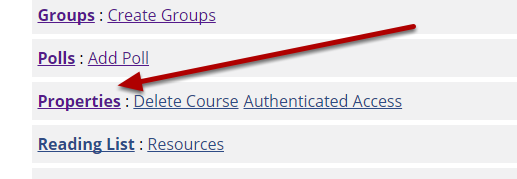
From the Manage area, click Properties.
Step 2: Add a description
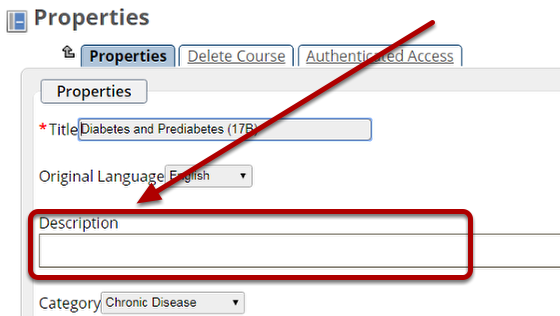
Enter a short (approximately 30 words) description in the field marked Description. Click Save to store your changes.